Student services directory
The University of Melbourne offers one of the most comprehensive student support networks in Australia.
Health and welfare
Take advantage of our free and discounted health services.
- Health ServiceBulk-billed medical appointments and health advice
- Counselling and Psychological ServicesCounsellors and mental health resources
- Melbourne Dental ClinicDiscounted dental care
- Melbourne Eyecare ClinicEye assessments, discounted glasses and contact lenses
- Melbourne Hearing Care ClinicHearing care and diagnostic services
- Melbourne Speech Pathology ClinicSpeech pathology services for adults and children
- Melbourne University SportGym facilities, pool, group fitness and more
- Security on campusPatrols, escorts, emergency phones and lost property
- Safer Community ProgramPromoting a respectful and inclusive community
- ChaplaincySpiritual and religious support for different faith groups
- Overseas Student Health Cover (OSHC) Policies, cover details and how to get it
- Online health and wellbeing hub Supporting health, activities and community
Careers and employability
Looking for a job or preparing for your future career? We can help you build your skills and experience while you study.
Learning and development
Gain the skills you need to navigate university effectively and succeed as a student.
Student admin and IT
Get help with the essentials so you can stay focused on your studies and campus life.
Extra support
From study assistance to help with finances, accommodation, childcare and more. We offer a range of services to support your university experience.
- Special considerationAcademic adjustments for exceptional circumstances
- Financial support and scholarshipsFinancial help while you study
- Student AccommodationAdvice about accommodation options and common tenancy issues
- Student Equity and Disability ServicesEquitable adjustments and ongoing support
- Murrup BarakPrograms and partnerships for indigenous students
- Early Childhood Education ServicesFor students with parenting needs
- The Family ClubParent-led childcare co-op with long day care and kindergarten services
- Legal Service (UMSU)Free expert legal advice, support, and referrals
- Elite athletesFlexible study assistance for recognised elite athletes
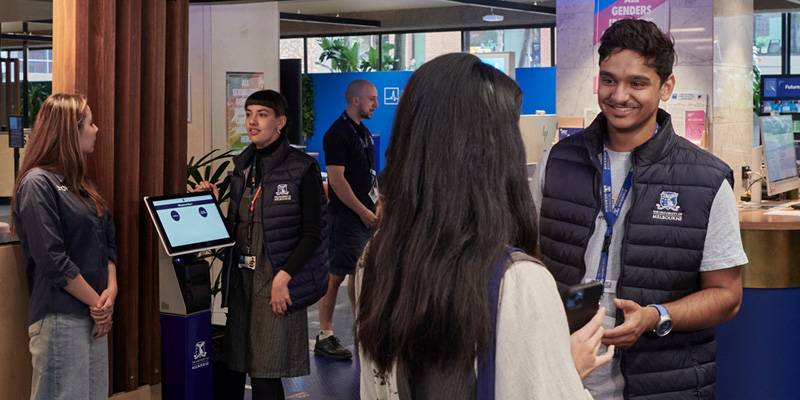
Stop 1: Connecting students and services
Stop 1 can connect you with services to support your studies. Browse workshops and sessions, sort out admin, or book an appointment with an expert adviser.
UMSU and GSA: Representing students at the University of Melbourne
-
University of Melbourne Student Union (UMSU)
All unimelb students can access heaps of services at UMSU! Check out clubs, social events, advocacy and legal services, representation, volunteering, welfare and other supports through YOUR student union. By students. For students.
-
Graduate Student Association (GSA)
GSA is an independent student association representing all enrolled graduate students at the University of Melbourne. We provide graduate students with representation, events, training and support.
Can't find what you're looking for?
Explore students.unimelb
This website is for all current students. Get the most out of your student experience, find tools to succeed, and get basic information about your enrolment.
Use search.unimelb
Search across all University websites to find the information you need with recommended results across courses, people, places, events and news.